Your marketing data,
poured straight into a sheet.
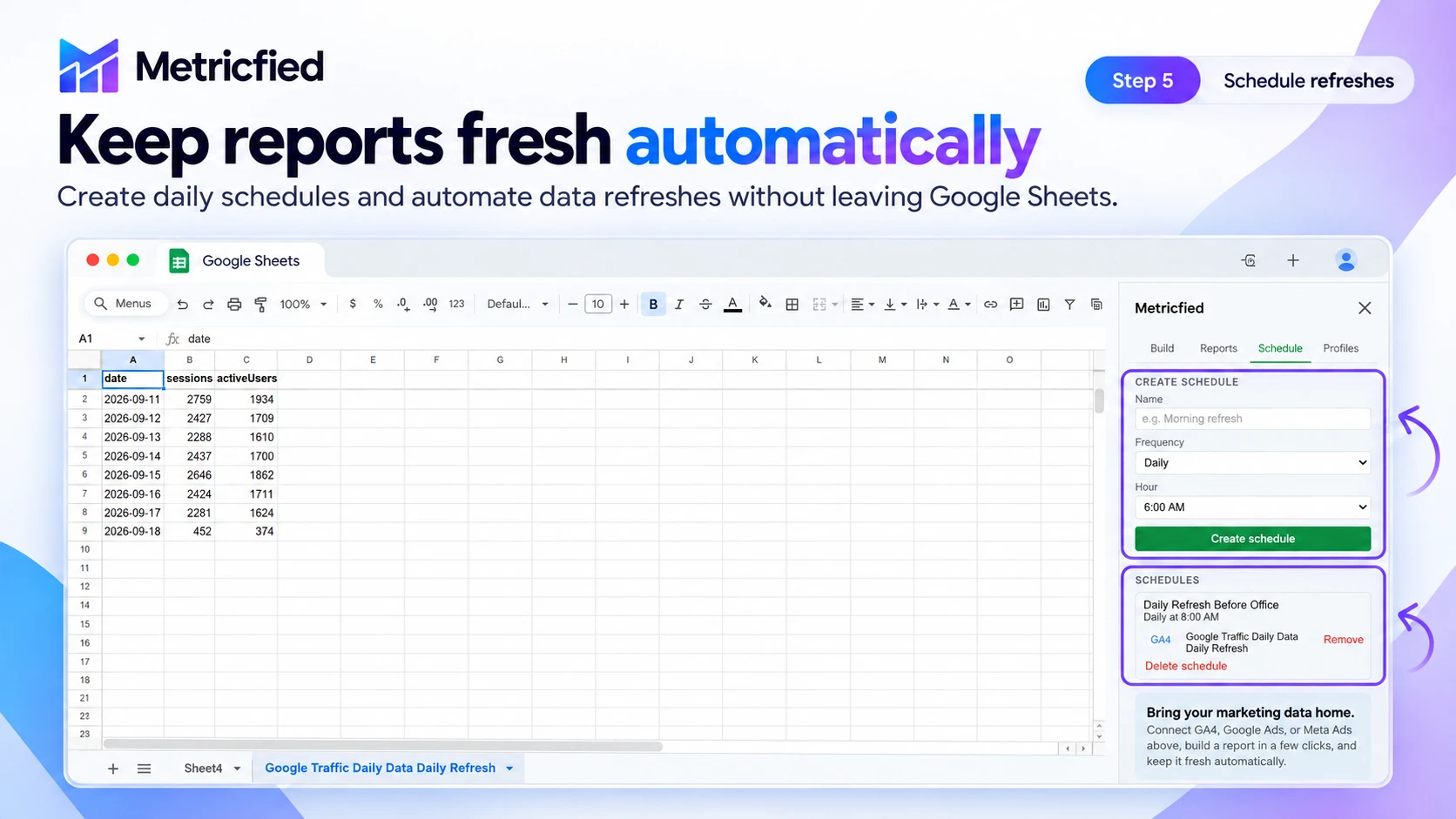
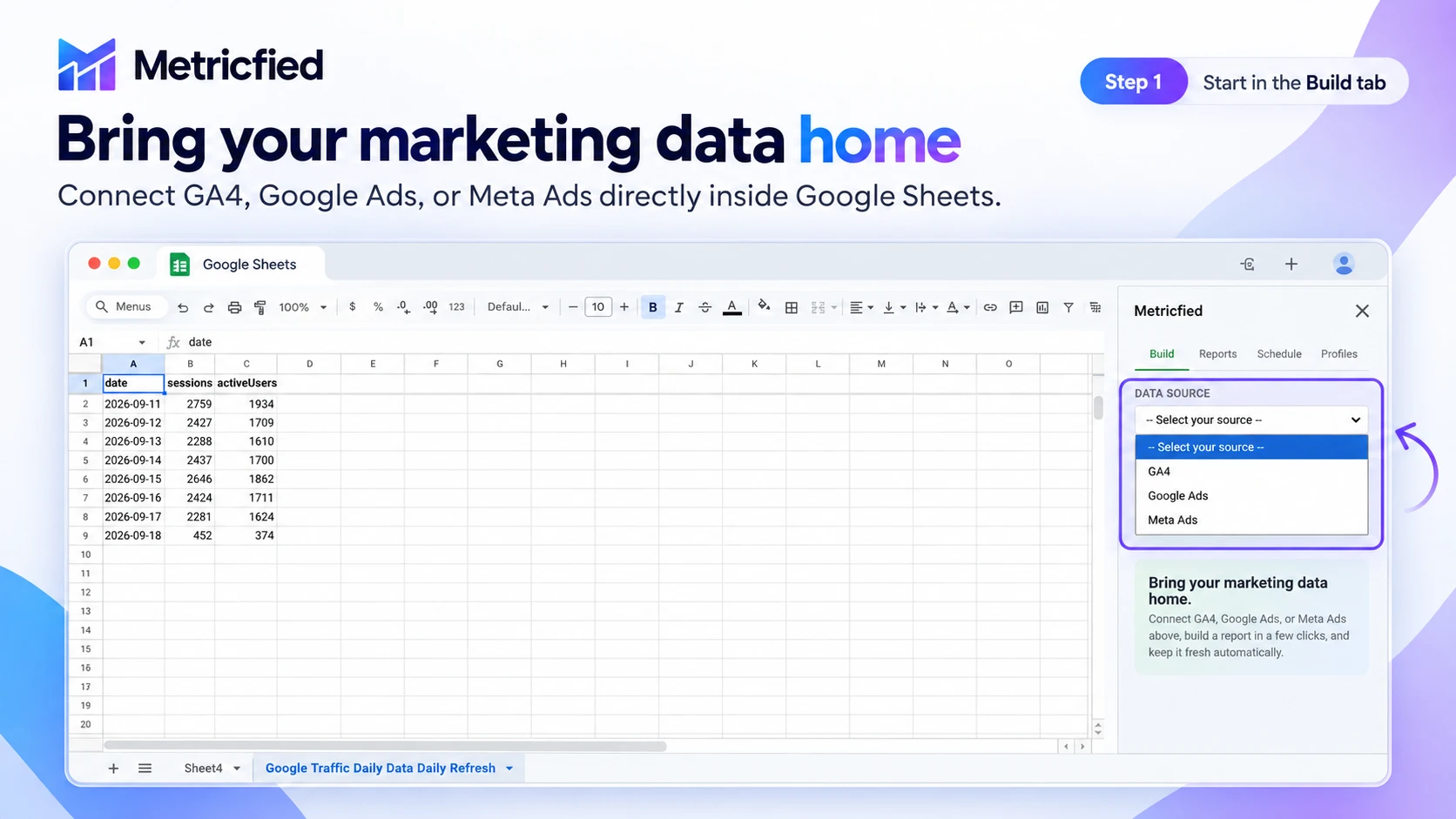
Connect the platforms you already report from, build the exact columns you need, and let it refill itself - daily, weekly, or monthly - without opening a single export dialog again.
Live on the Google Workspace Marketplace.
Install Metricfied straight into Google Sheets, or start with a free plan and connect your data sources from inside the add-on.
Data sources
Your whole stack, one sheet.
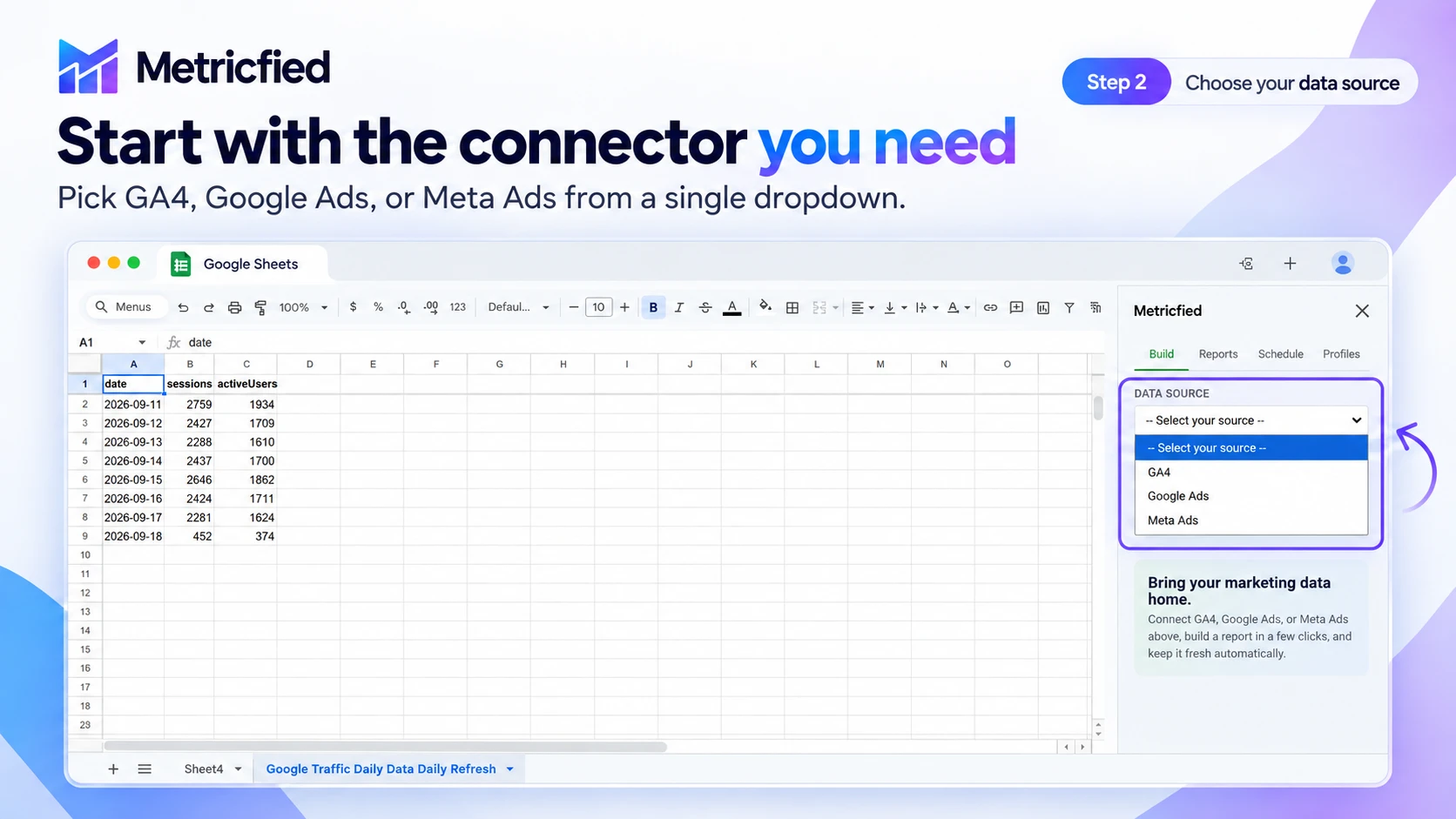
Each connector authenticates with your own account - Metricfied only ever sees what you already have access to. GA4, Google Ads, and Meta Ads are live today; the rest are shipping soon.
GA4
Traffic, engagement, and conversion data, grouped by the account and property it actually belongs to.
Google Ads
Campaign performance - impressions, clicks, cost, conversions - filtered down to what's worth a row.
Meta Ads
Ad account insights from your Business Manager, connected with your own login - no shared credentials.
Shopify
Order and revenue data from your store, ready to blend with ad spend and GA4 conversions.
YouTube
Channel and video performance alongside the campaigns driving traffic to them.
Snapchat
Ad account performance from Snapchat's ad manager, right beside your other channels.
TikTok
Ad account and campaign data from TikTok, ready to sit next to your other spend.
Google Search Console
Queries, pages, and rankings from Google Search Console, next to the paid data you already pull.
Built for the report you actually need
Not another rigid export template.
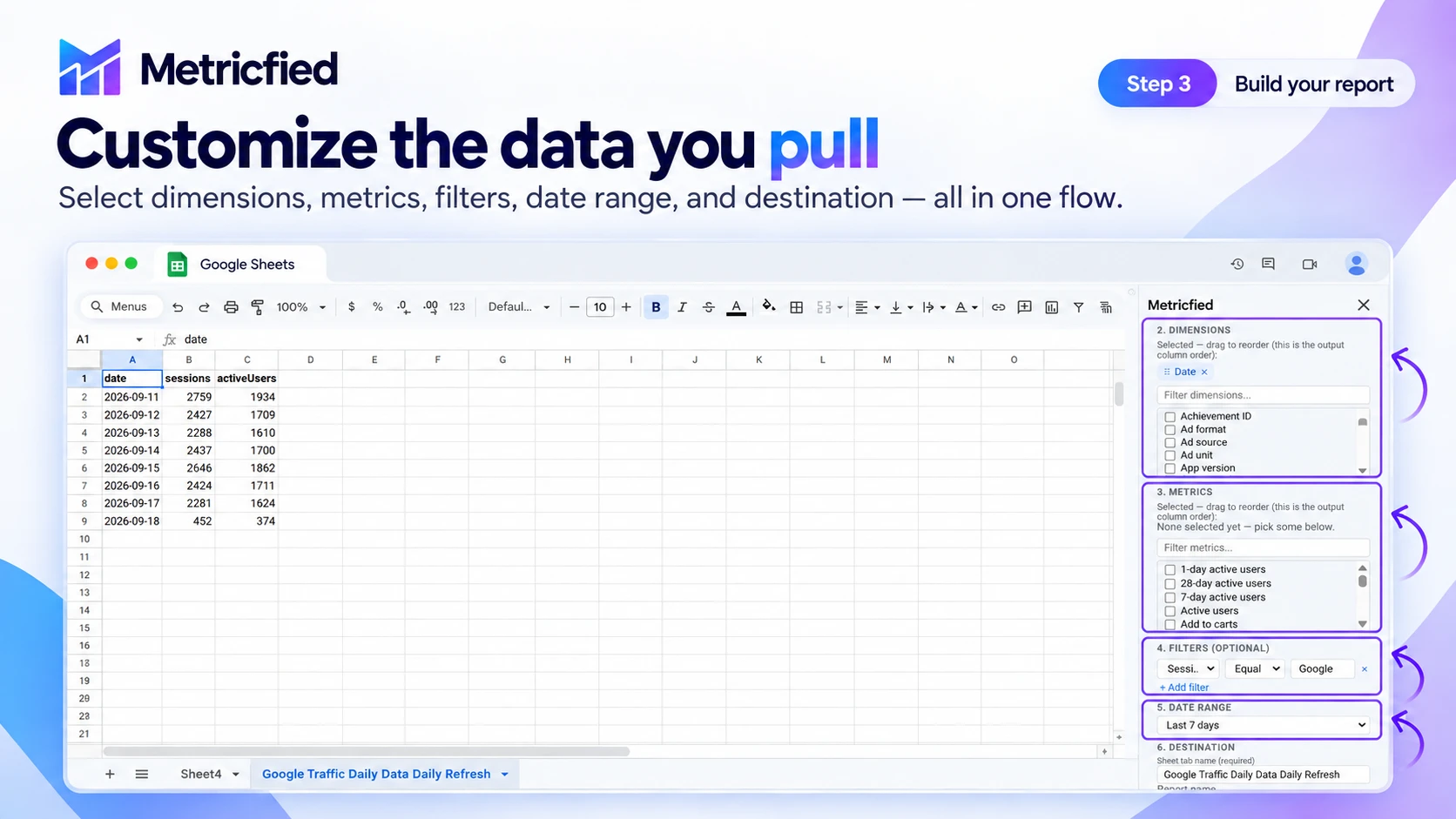
Every report is assembled from scratch to match the columns you want, in the order you want them.
Drag to reorder
Column order, your call
Selected dimensions and metrics show up as chips you can drag into place - that order is exactly what lands in the sheet.
Query-level filters
Only the rows worth seeing
"Impressions > 0", a specific GA4 stream, a named campaign - filters run at the API, not as a formula you bolt on after.
Rolling date ranges
Refills itself, correctly
"Last 30 days" is recalculated fresh every run, so a scheduled report never quietly goes stale.
How it works
Five steps, then it runs itself.
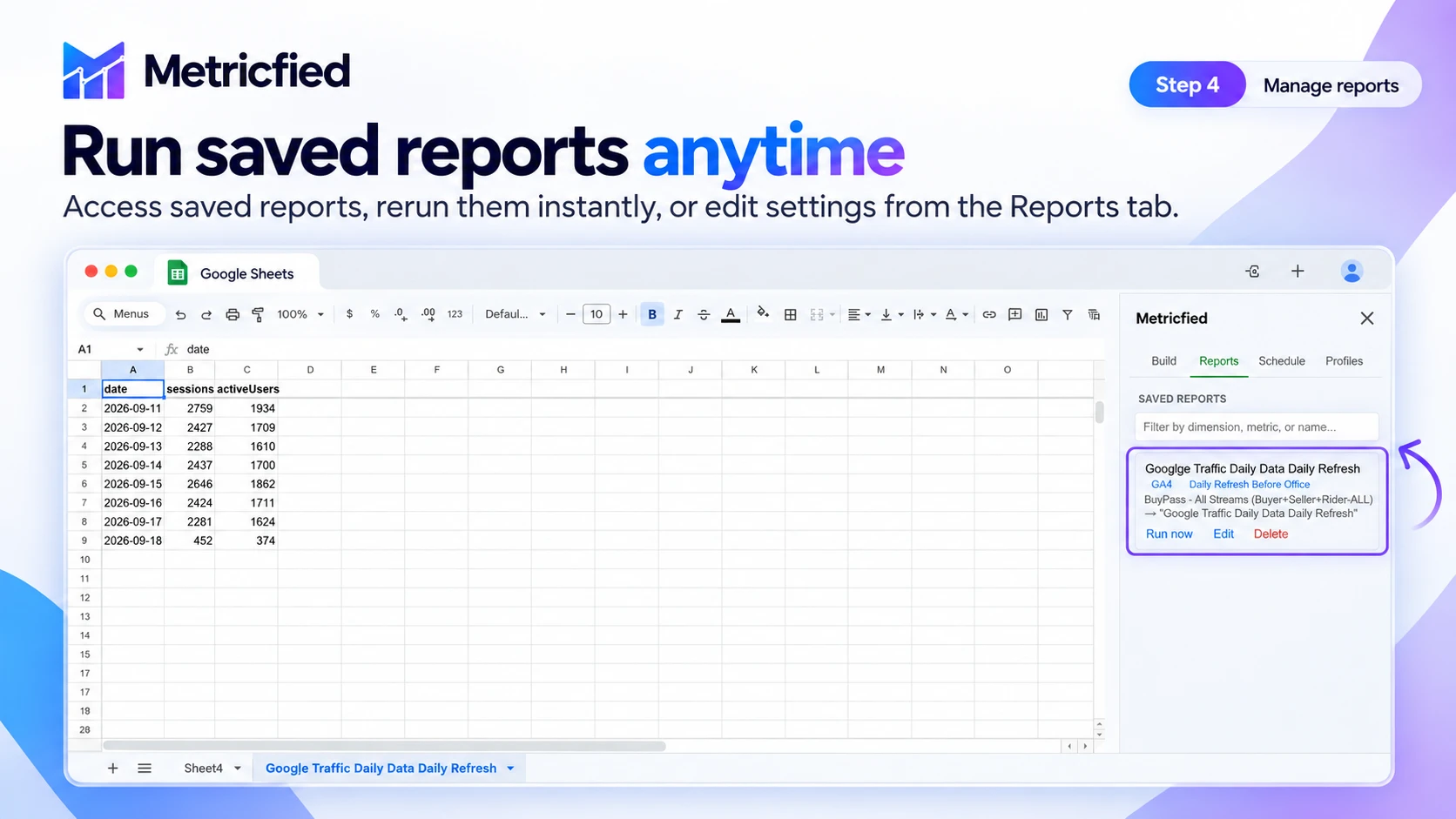
The full walkthrough, straight from the product - connect a source, build the report, manage it, and put it on a schedule.